
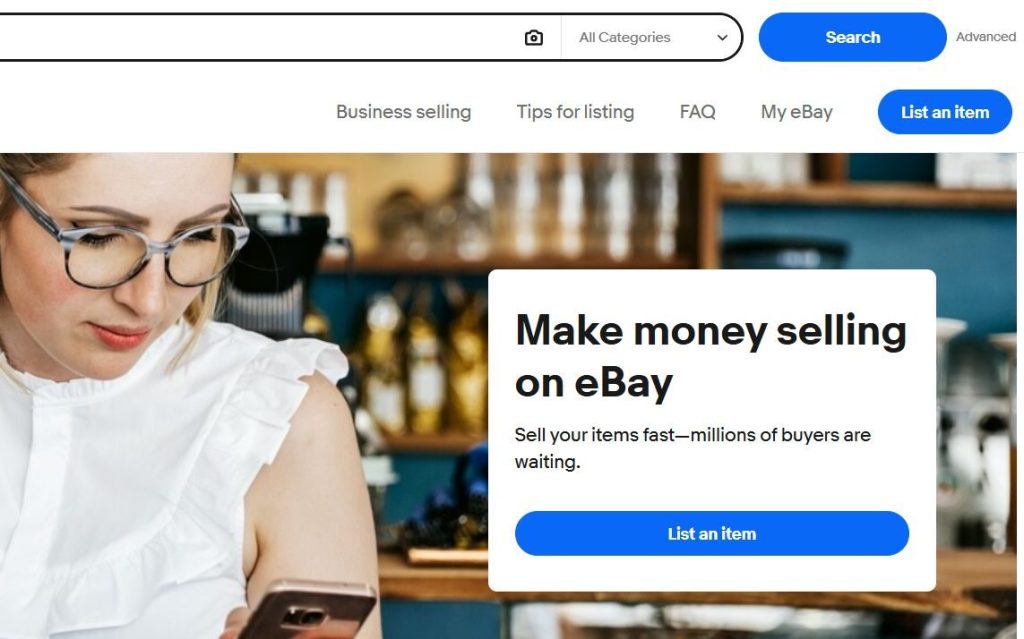
Before you can make money on eBay, you need a solid foundation. While eBay is beginner-friendly, how you set up your seller account (and how you approach the platform early on) can make a big difference in your long-term success. This post walks through the essentials of getting started on eBay, so you can avoid common mistakes and begin selling with confidence.
Whether your goal is a side income or eventually building a full-time reselling business, taking the time to set things up correctly from the beginning will save you frustration later.
Creating Your eBay Account
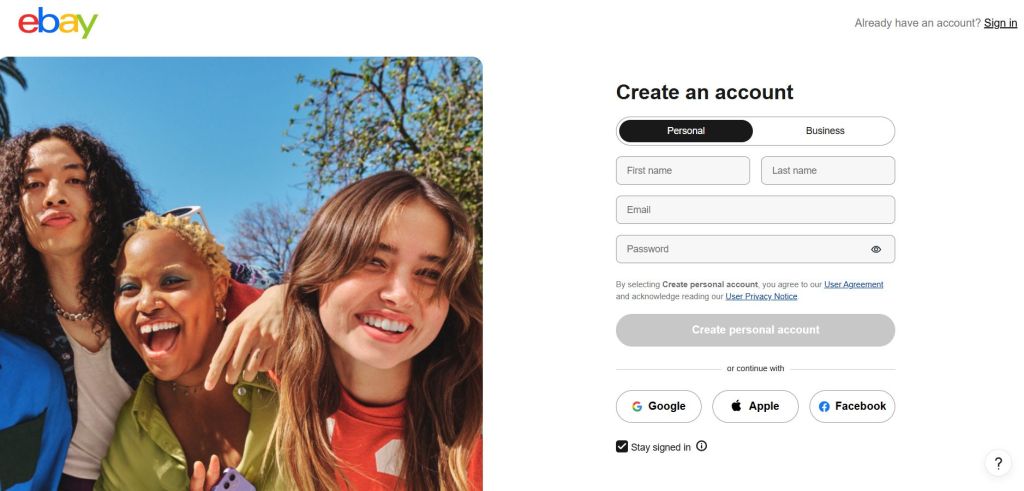
If you don’t already have an eBay account, getting started is simple. Start by choosing between a Personal and Business account. Most new sellers start with a personal account, which is perfectly fine, even if you plan to grow over time. You can always convert to a business account later if needed.
When choosing your username, think long-term. Pick something neutral and professional rather than trendy or overly specific. A clean, trustworthy username helps buyers feel more comfortable purchasing from you, especially when you’re new and building feedback.
Once your account is created, eBay will guide you through identity verification steps, which may include confirming your email, phone number, and banking details.
Setting Up Payments and Payouts
eBay now manages payments directly, which simplifies the process. You’ll connect your bank account so eBay can deposit your earnings after a sale. Payments are typically released within a few days once a transaction is complete.
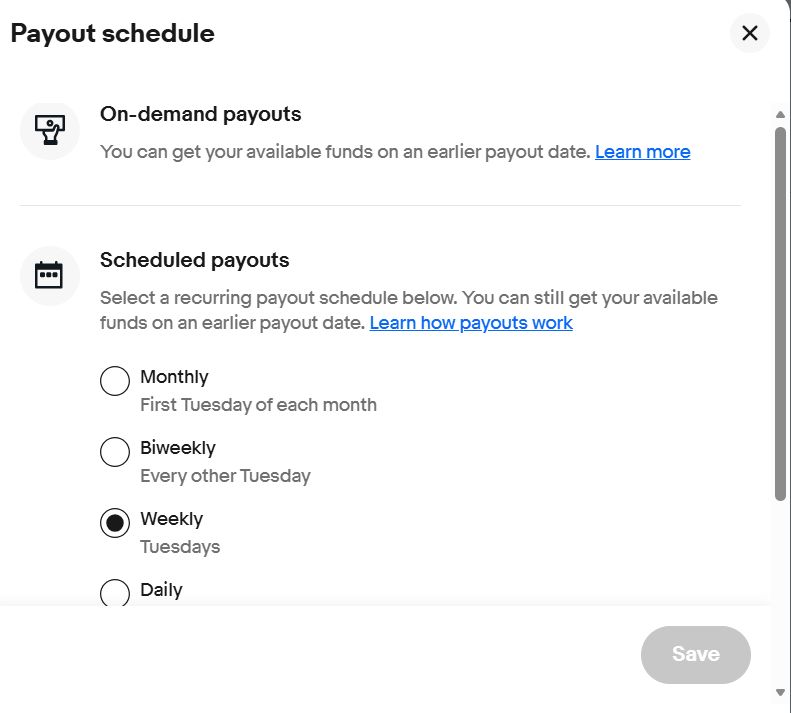
You’ll then want to choose how often you get paid. As the name suggests, “On-demand payouts” allow you to gain access to your money sooner. You can request funds at any time, as long as they’re not on hold. Once the transaction is initiated, you should receive your money within 1 to 3 business days.
You can also choose “Schedule Payouts,” meaning you’ll get paid on a reoccuring payment schedule. eBay offers several options for recurring payouts, including Monthly, Biweekly, Weekly, and Daily.
This system allows buyers to use multiple payment methods, such as credit cards, debit cards, and digital wallets, without you needing to manage them individually. From a seller standpoint, it keeps everything streamlined and centralized within your eBay account.
Understanding Seller Limits and Expectations
As a new seller, eBay will place initial selling limits on your account. These limits cap how many items you can list and the total dollar amount you can sell per month. This is normal and temporary.
The key to increasing these limits is consistency:
- List items regularly
- Ship orders on time
- Provide accurate descriptions
- Communicate professionally with buyers
As you build a positive selling history, eBay will gradually raise your limits, allowing you to scale more easily.
Learning the Basics of eBay Fees
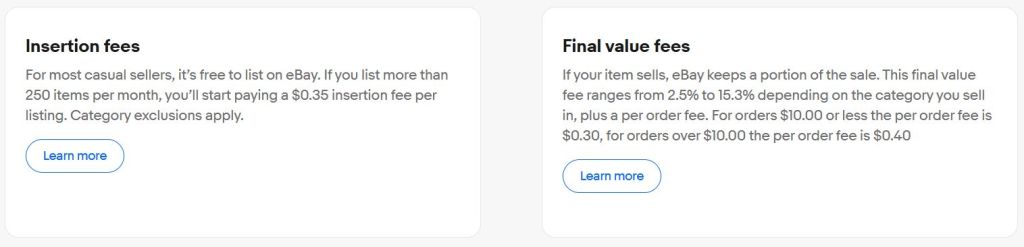
One of the most important things to understand early on is how eBay makes its money. eBay charges selling fees, typically a percentage of your total sale price (including shipping). The exact percentage varies by category.
While fees can feel intimidating at first, they’re simply part of doing business on a marketplace that brings you buyers. Learning to price your items with fees in mind ensures you’re still making a profit.
Future posts in this series will dive deeper into pricing and profit calculations, but for now, it’s enough to know that fees exist and should always be factored into your decisions.
Setting Yourself Up for Trust and Credibility
When you’re new, buyers don’t know you yet, so trust matters. Simple steps can help establish credibility quickly:
- Use clear, honest item descriptions
- Upload well-lit, accurate photos
- Ship items promptly and securely
- Respond politely to messages
Early feedback is especially valuable. Even a few positive reviews can significantly increase buyer confidence and lead to more sales.
What You Should (and Shouldn’t) Do First
It can be tempting to dive in and list everything at once but starting slowly is often smarter. Begin with a few items you already own, ideally things that are easy to ship and accurately describe. This helps you learn the platform without pressure.
Avoid trying to master every feature immediately. eBay has many tools, but you don’t need all of them to start making sales. Focus on learning the basics well before moving on to more advanced strategies.
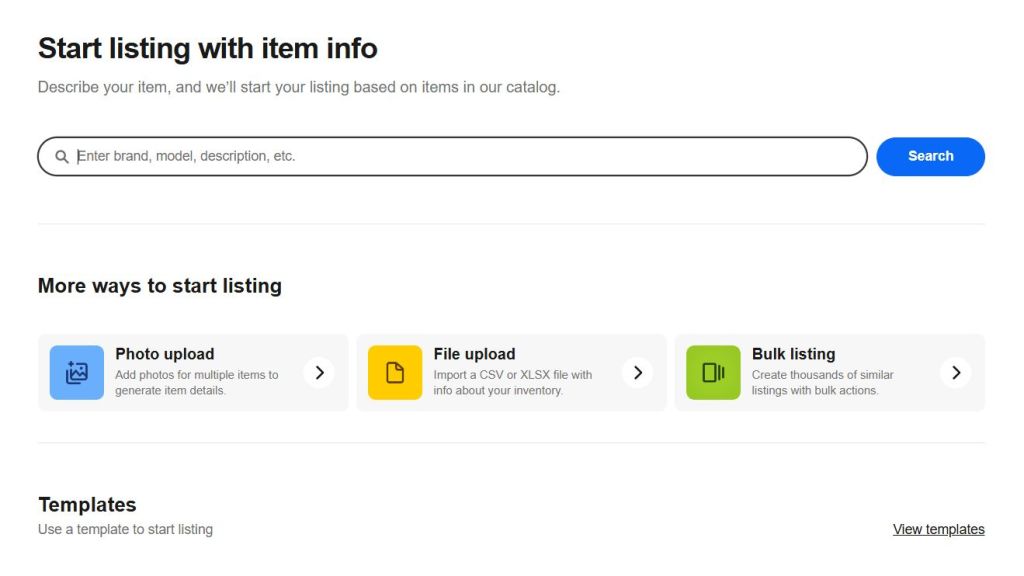
Listing an items starts with describing it. Enter the item’s brand (if known), size (if applicable), and other relevant details. Try to be as concise as possible, sticking to terms that a buyer might type into the search bar.
For example, a “bad” title might be something vague like “Old Glass Vase”, which doesn’t tell buyers much or match how people actually search. A good title might be “Vintage Mid-Century Blue Art Glass Vase – Hand Blown, 10 Inches”. The improved version uses specific keywords buyers are likely typing into eBay, such as “vintage,” “art glass,” and size, while still being clear and honest. A strong title focuses on what the item is, its age or style, and one or two defining details, without unnecessary words or filler.
We’ll go more into depth about creating great eBay listings later in the series.
What’s Coming Next in the Series
Now that your account is set up, the next step is understanding what actually sells on eBay, and how to identify items worth your time and money. The next post in this series will focus on finding profitable products, researching sold listings, and choosing the right categories.
Getting started on eBay doesn’t require perfection, just action, consistency, and a willingness to learn. With the foundation in place, everything else builds from here.
This Post Is Part of a Series: Making Money With eBay
This article is part of an ongoing blog series focused on building real, sustainable income through eBay reselling. Each post covers a specific step in the process, from getting started to scaling long-term.
Previously in this series:
Next in this series:
 Online Writing Gigs